
Nonprofit Accounting Software for Beginners: Your Essential Guide

Volunteer organizing donation boxes with clothes and supplies for charity.Photo: Gustavo Fring / Pexels

Nonprofit Accounting Software for Beginners: Your Essential Guide

Simplify your organization's finances, ensure compliance, and maximize impact with the right tools, even if you're new to accounting.

Start Your Financial Journey

Key Takeaways

  • ✓ Nonprofit accounting differs significantly from for-profit accounting due to fund restrictions and public accountability.
  • ✓ Specialized software helps manage grants, donations, and program expenses, crucial for compliance.
  • ✓ Choosing the right software can drastically reduce audit risks and improve transparency.
  • ✓ Many beginner-friendly options offer robust features without requiring extensive accounting knowledge.

How It Works

1
Assess Your Nonprofit's Needs

Identify your organization's specific financial requirements, including grant tracking, donor management, and reporting needs. Consider your budget and the technical expertise of your team.

2
Explore Software Options

Research different nonprofit accounting software solutions tailored for beginners, focusing on ease of use, core features, and customer support. Look for free trials or demos to test functionality.

3
Implement and Customize

Once selected, set up your chosen software, importing existing financial data and customizing charts of accounts to fit your fund accounting structure. Train your team on its proper use.

4
Monitor and Optimize

Regularly use the software to record transactions, generate reports, and monitor your financial health. Continuously optimize its use to streamline operations and ensure ongoing compliance.

Understanding the Unique Landscape of Nonprofit Accounting

Volunteer organizing donation boxes with clothes and supplies for charity.Photo: Gustavo Fring / Pexels
For many starting out in the nonprofit sector, the financial landscape can seem dauntingly complex, especially when compared to the straightforward profit-and-loss models of commercial businesses. Nonprofit accounting isn't just about tracking income and expenses; it's fundamentally about accountability, transparency, and managing funds with specific restrictions. This distinct nature necessitates specialized tools and approaches. Unlike for-profit entities that aim to maximize shareholder wealth, nonprofits are driven by their mission and must demonstrate how every dollar contributes to their cause. This means adhering to strict regulations, such as those set by the Financial Accounting Standards Board (FASB) in the U.S., particularly regarding the classification of net assets and reporting of functional expenses. Understanding these foundational differences is the first critical step before even considering software solutions. You'll encounter terms like 'fund accounting,' 'restricted vs. unrestricted funds,' and 'functional expense reporting' – concepts that are central to maintaining compliance and donor trust. Traditional accounting software, while capable of handling basic bookkeeping, often falls short in addressing these nuanced requirements. They typically lack the built-in features for tracking grants with specific stipulations, managing donor pledges, or generating reports that clearly distinguish between program services, management and general, and fundraising expenses. The consequences of not using appropriate systems can range from operational inefficiencies and difficulty in securing future funding to severe compliance issues, including fines and loss of tax-exempt status. Therefore, equipping yourself with a basic understanding of nonprofit financial management principles is paramount. This initial knowledge will not only guide you in selecting the right software but also empower you to utilize it effectively, ensuring your organization's financial health and mission success. It's about more than just numbers; it's about safeguarding your organization's integrity and ability to serve its beneficiaries.

Why Specialized Nonprofit Accounting Software is a Game-Changer

Top-down view of a calculator on a yellow notepad with 'TAXES' spelled out beside.Photo: Tara Winstead / Pexels
Once you grasp the distinct challenges of nonprofit financial management, the value of specialized accounting software becomes crystal clear. This isn't just an upgrade; it's often a necessity for sustained success and compliance. Specialized software is designed from the ground up with nonprofit operations in mind, integrating features that are either absent or cumbersome in generic accounting platforms. A primary benefit is its inherent support for fund accounting. This crucial system tracks money by its source and purpose, allowing you to clearly differentiate between unrestricted donations, temporarily restricted grants (like those for a specific program or period), and permanently restricted endowments. This level of detail is vital for demonstrating stewardship to donors and complying with reporting standards like FASB ASC 958. Without it, manually tracking these funds can lead to errors, misallocations, and a loss of financial transparency, making it difficult to report accurately to stakeholders or pass an audit. Beyond fund accounting, these platforms excel in donor management and grant tracking. They often include modules that allow you to record donor information, track pledges, manage recurring donations, and issue automated thank-you letters and tax receipts. For grants, they can help you monitor expenditures against grant budgets, track reporting deadlines, and ensure you're using funds precisely as stipulated by the grantor. This integrated approach significantly reduces administrative burden and minimizes the risk of non-compliance, which can be particularly damaging for smaller organizations with limited resources. Furthermore, specialized nonprofit accounting software simplifies functional expense reporting. This is a critical requirement for IRS Form 990, where organizations must categorize expenses by their function (e.g., program services, fundraising, administrative). The software automates this classification, providing clear insights into how resources are being allocated across your mission, fundraising efforts, and overhead. This not only aids in compliance but also provides valuable data for strategic decision-making and demonstrating impact. In essence, specialized software acts as a central hub for your financial operations, streamlining processes, enhancing accuracy, and providing the robust reporting capabilities essential for any thriving nonprofit. It empowers even beginners to manage complex financial data with confidence, freeing up valuable time and resources that can be redirected toward achieving your mission.

Key Features to Look for in Beginner-Friendly Nonprofit Accounting Software
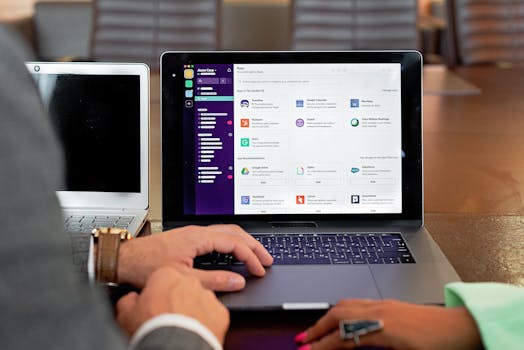
Two professionals collaborating using laptops and communication software in a business setting.Photo: Mikhail Nilov / Pexels
Choosing the right nonprofit accounting software as a beginner can feel overwhelming, but focusing on a few core features will simplify the decision-making process. The ideal solution will balance ease of use with robust functionality specifically tailored for nonprofits. First and foremost, look for intuitive user interfaces. As a beginner, you don't want to spend countless hours deciphering complex menus or navigating through obscure functionalities. Software with a clean layout, clear labels, and logical workflows will significantly reduce your learning curve and boost your confidence. Many modern solutions offer dashboard views that provide an at-a-glance summary of your financial health, which is incredibly helpful for quick monitoring. Secondly, robust fund accounting capabilities are non-negotiable. Ensure the software allows you to easily set up and track different funds (restricted, unrestricted, temporarily restricted, permanently restricted) and generate reports that clearly show their balances and activity. This is the cornerstone of compliant nonprofit financial reporting. The ability to allocate expenses and revenue to specific funds is crucial for transparency and donor reporting. Thirdly, integrated donor and grant management features are a huge advantage. While some organizations use separate CRM systems, having these capabilities within your accounting software streamlines data entry and reporting. Look for features that allow you to record donor details, track donation history, manage pledges, and generate automated thank-you letters and tax receipts. For grants, the ability to set up grant budgets, track expenditures against them, and monitor reporting deadlines will save immense time and prevent costly errors. Fourth, reporting and compliance tools are vital. The software should be able to generate standard nonprofit financial statements (Statement of Financial Position, Statement of Activities, Statement of Cash Flows) and, ideally, assist with functional expense reporting necessary for IRS Form 990. Customizable reporting options are also beneficial, allowing you to create reports tailored to specific board members, funders, or internal analysis. Finally, consider customer support and training resources. As a beginner, you will undoubtedly have questions. Look for vendors that offer comprehensive support (phone, email, chat), extensive knowledge bases, video tutorials, and perhaps even dedicated onboarding assistance. A strong support system can make all the difference in your successful adoption of the software. Prioritizing these features will help you select a solution that not only meets your current needs but also supports your organization's growth and compliance efforts. For more insights on financial management, check out this comprehensive guide to nonprofit financial best practices.

Common Mistakes Beginners Make and How to Avoid Them

Flat lay of a notepad labeled 'tax' with crumpled paper on a white background, symbolizing financial stress.Photo: Tara Winstead / Pexels
Embarking on your journey with nonprofit accounting software can be incredibly empowering, but it's also common for beginners to stumble on a few pitfalls. Being aware of these traps can help you navigate the process more smoothly and effectively. **1. Not Defining Needs Beforehand:** One of the most frequent mistakes is jumping straight into software demos without a clear understanding of your organization's specific financial requirements. This can lead to choosing an overly complex system you don't need or one that lacks essential features. * **How to Avoid:** Before even looking at software, sit down with your team and create a comprehensive list of your financial processes, reporting needs, donor management requirements, and budget constraints. This 'needs assessment' will serve as your compass during the selection process. **2. Underestimating the Learning Curve:** While beginner-friendly software aims to simplify things, there's always a learning curve, especially if you're new to accounting principles. Many beginners expect to be experts overnight. * **How to Avoid:** Allocate sufficient time for training and onboarding. Utilize tutorials, webinars, and customer support offered by the software vendor. Consider investing in basic nonprofit accounting courses if your knowledge base is limited. Patience is key. **3. Neglecting Data Migration and Setup:** Transferring existing financial data into a new system can be daunting, and some beginners try to rush or cut corners. Incorrect data migration can lead to errors that ripple through your entire financial system. * **How to Avoid:** Plan your data migration meticulously. If possible, seek assistance from the software vendor or a qualified accountant. Ensure your chart of accounts is correctly structured for fund accounting before importing. Double-check all initial entries for accuracy. **4. Ignoring Ongoing Training and Updates:** Software isn't a 'set it and forget it' solution. New features are added, regulations change, and staff turnover occurs. Neglecting ongoing training can lead to inefficient use of the software or non-compliance. * **How to Avoid:** Schedule regular refreshers for your team. Stay informed about software updates and new features. Create internal documentation for your specific processes to ensure continuity. **5. Failing to Utilize Reporting Features:** Many beginners focus solely on data entry and neglect the powerful reporting capabilities of their software. This means missing out on crucial insights into their organization's financial health and program effectiveness. * **How to Avoid:** Make it a habit to regularly generate and review financial reports. Understand what each report tells you and how it can inform strategic decisions. Use reports to track budget vs. actuals, donor retention, and program spending. **6. Not Seeking Professional Advice When Needed:** Even with specialized software, complex accounting situations or audit preparations may require professional expertise. Beginners sometimes try to handle everything themselves to save costs, which can backfire. * **How to Avoid:** Establish a relationship with a nonprofit accountant or consultant. Don't hesitate to consult them for complex transactions, annual audits, or when you're unsure about a specific accounting principle or regulatory requirement. Their expertise can prevent costly errors and ensure your organization remains compliant and financially sound.

Comparison

FeatureQuickBooks Premier NonprofitAplosSage Intacct (Nonprofit)
Ease of Use for BeginnersGoodExcellentModerate (Steeper learning curve)
Fund Accounting CapabilityGood (with customization)Excellent (Built-in)Excellent (Advanced)
Donor Management IntegrationBasic (via add-ons)Good (Built-in)Advanced (Seamless CRM integration)
Grant TrackingManual (with workarounds)GoodExcellent
Functional Expense ReportingCustomizable reportsBuilt-inAutomated & Robust
ScalabilityMediumMedium to HighHigh
Pricing ModelOne-time purchase / SubscriptionSubscription (Tiered)Subscription (Enterprise)
IRS Form 990 SupportIndirect (via reports)Direct (some assistance)Comprehensive

What Our Readers Say

5 ★★★★★

"As a new nonprofit director, I was lost with our finances. This guide on nonprofit accounting software for beginners helped me choose Aplos, and now our bookkeeping is so much clearer and compliant."

5 ★★★★★

"We're a small startup charity, and understanding fund accounting was a nightmare. The detailed sections on why specialized software matters made me realize QuickBooks Premier Nonprofit was the right fit for us, and it's been fantastic."

5 ★★★★★

"Before reading this, our financial records were a mess. Following the advice for nonprofit accounting software for beginners, we implemented a system that reduced our audit preparation time by 50%!"

4 ★★★★☆

"The article was very informative, especially the comparison table. While I initially found Sage Intacct a bit overwhelming, the guidance here encouraged me to explore its advanced features, which are proving invaluable for our growing organization."

5 ★★★★★

"Our volunteer treasurer found the 'Common Mistakes' section incredibly helpful. It prevented us from making critical errors during our software transition, making our financial reporting much more robust."

Frequently Asked Questions

What is the most important feature to look for in nonprofit accounting software for beginners?
For beginners, the most important feature is intuitive usability combined with robust fund accounting capabilities. The software should be easy to navigate and understand, while also allowing you to accurately track restricted and unrestricted funds, which is fundamental to nonprofit compliance and reporting. Strong customer support and ample training resources are also crucial for a smooth learning process.
Is specialized nonprofit accounting software really necessary, or can I just use QuickBooks?
While QuickBooks can be adapted for nonprofits, specialized software is highly recommended. It's designed specifically for fund accounting, functional expense reporting, and donor/grant tracking – features that are often cumbersome or absent in generic software. Using specialized tools reduces the risk of errors, simplifies compliance, and provides better insights into your organization's financial health, ultimately saving time and resources in the long run.
How do I transfer my existing financial data to new nonprofit accounting software?
The process typically involves exporting your current data (e.g., chart of accounts, vendor lists, donor contacts) from your old system into a compatible format like a CSV file. You then import these files into your new software. Many software providers offer guided migration tools or support services. It's crucial to map your old accounts to your new chart of accounts carefully and verify all imported data for accuracy before going live.
How much does nonprofit accounting software cost, and are there free options?
Costs vary widely. Basic, beginner-friendly options might range from $30-$100 per month or a one-time purchase, while more advanced solutions can be several hundred dollars monthly. Some vendors offer free versions or significant discounts for very small nonprofits, or provide free trials. It's important to consider not just the upfront cost but also ongoing subscription fees, implementation costs, and potential training expenses.
How does nonprofit accounting software help with IRS Form 990 compliance?
Nonprofit accounting software significantly aids Form 990 compliance by automating functional expense reporting, which is a key requirement. It helps categorize expenses into program services, management & general, and fundraising, ensuring accurate data for the form. It also provides the necessary financial statements and reports (like the Statement of Activities) that feed directly into the 990, streamlining the preparation process and reducing the risk of errors.
Who should use nonprofit accounting software for beginners?
Nonprofit accounting software for beginners is ideal for small to medium-sized nonprofits, new organizations, volunteer-led groups, or any nonprofit whose financial team is new to specialized accounting. It's perfect for those who need a user-friendly system to manage donations, track grants, handle basic payroll, and ensure compliance without requiring extensive accounting expertise.
What are the security risks associated with cloud-based nonprofit accounting software?
Cloud-based software inherently carries some risks, but reputable providers implement robust security measures. Risks include data breaches, unauthorized access, and data loss. To mitigate these, choose providers with strong encryption, regular backups, multi-factor authentication, and compliance certifications (e.g., SOC 2). Always use strong, unique passwords and educate your team on cybersecurity best practices.
What future trends should I be aware of in nonprofit accounting software?
Future trends include increased integration with AI for predictive analytics and automation of routine tasks, enhanced mobile accessibility for on-the-go management, and deeper integration with other nonprofit tools like CRMs and fundraising platforms for a unified ecosystem. Expect more robust data visualization and customizable dashboards to offer clearer insights into financial health and impact.

Choosing the right nonprofit accounting software for beginners is a pivotal step towards financial stability and mission success. By prioritizing ease of use, fund accounting capabilities, and robust reporting, you can empower your organization to thrive. Don't let financial complexities hinder your impact – take control with the right tools today.

Topics: nonprofit accounting software for beginnersnonprofit financial managementfund accounting basicscharity accounting solutionsnonprofit compliance software
Leo List
Brampton weed
Adultwork